GitHub Spark
Build and deploy full-stack web apps using natural language prompts without writing code.
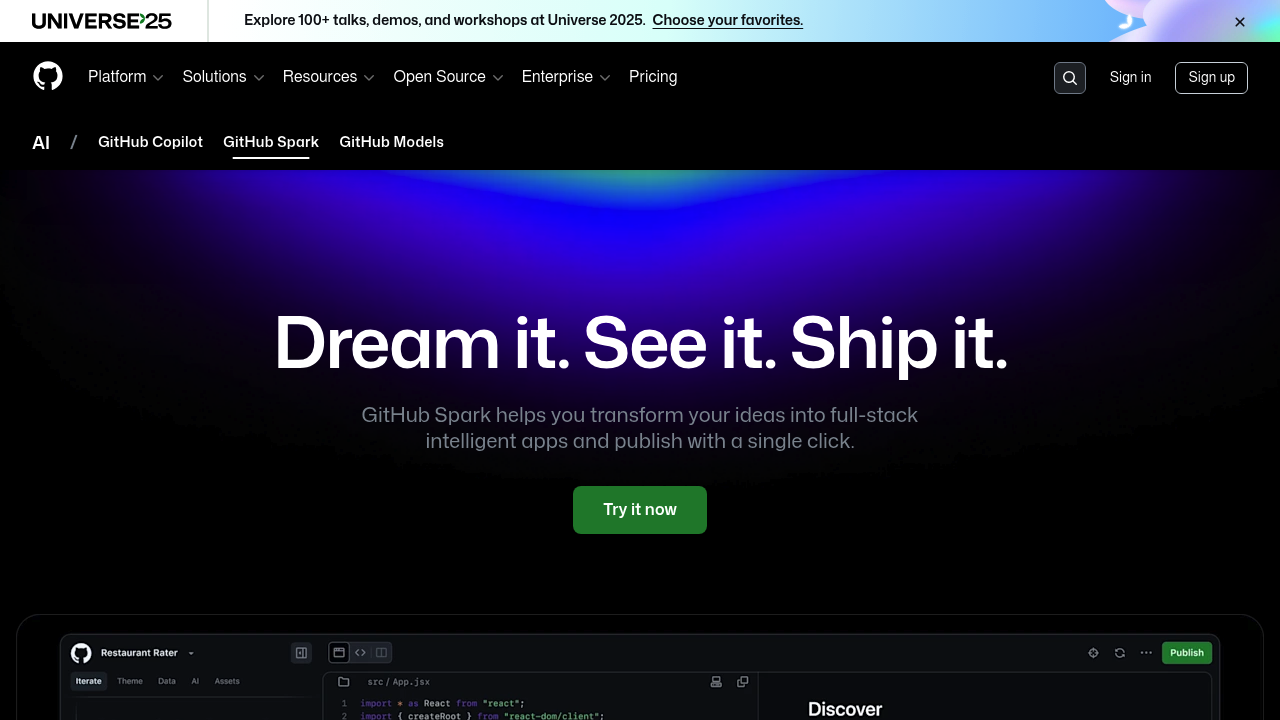
GitHub Spark - Replit alternative
GitHub Spark is an AI-powered tool for creating and sharing micro apps through natural language descriptions. Users describe their app idea in plain English, and Spark generates a working application with frontend, backend, data storage, and AI features included. Apps are automatically deployed and can run on desktop, tablet, or mobile devices via PWA. Solo developers might prefer it for rapid prototyping of personal tools without managing infrastructure or deployment pipelines.
Strengths
- Natural language editor with interactive previews shows running apps immediately as you describe features. No build step required.
- Managed runtime includes deployment-free hosting, persistent key-value data storage, and themable design system. Zero infrastructure setup needed.
- Automatic revision history saves every change with one-click restore capability. Enables experimentation without version control overhead.
- Model selection supports Claude Sonnet 3.5, GPT-4o, o1-preview, and o1-mini. Try different AI models for same request.
- Built-in GitHub Models integration allows adding generative AI features without LLM knowledge. Includes visual prompt editor.
- Apps can be shared with read-only or read-write permissions and remixed by others. Collaborative iteration built in.
Weaknesses
- Each prompt consumes 4 premium requests from monthly allowance. Heavy iteration may exhaust quota quickly.
- Designed for "micro apps" following Unix philosophy - single-purpose tools rather than complex applications. Not suitable for enterprise-scale projects.
- Limited to 10 active app building sessions at a time. Cannot work on many projects simultaneously.
- Deployed apps have usage limits on HTTP requests, data transfer, and storage. Apps unpublish when limits reached.
- Public preview status means features and billing structure subject to change.
Best for
Solo developers and small teams building personal productivity tools, learning aids, custom utilities, or quick prototypes. Ideal for non-programmers wanting to create tailored apps without coding knowledge.
Pricing plans
- GitHub Copilot Pro+ — $39 USD/month or $390 USD/year — 375 Spark messages included per month, 10 active app building sessions, unlimited apps, unlimited manual edits. Additional prompts cost $0.16 USD each (4 premium requests at $0.04 per request). Deployed apps currently have no charges but face usage limits on HTTP requests, data transfer, and storage.
Tech details
- Type: Cloud-based AI app builder with managed runtime
- IDEs: Browser-based natural language editor with optional code view. PWA-enabled dashboard for managing apps on desktop and mobile.
- Key features: Natural language app creation, interactive live preview, revision variants generation (3-6 alternatives per request), automatic version history, themable UI component library, managed key-value data storage, integrated LLM prompting via GitHub Models, one-click deployment.
- Privacy / hosting: Cloud-hosted on GitHub infrastructure. Apps deployed to managed runtime environment. Data stored in GitHub-managed key-value store. Unknown data retention policies.
- Models / context window: Claude Sonnet 3.5, GPT-4o, o1-preview, o1-mini selectable per revision. Context window specifications unknown.
When to choose this over Replit
- You want to build apps using only natural language without writing any code or managing deployment.
- You need simple, single-purpose "micro apps" tailored to personal workflows rather than general-purpose software.
- You want built-in AI features and model prompting without configuring API keys or understanding LLMs.
When Replit may be a better fit
- You need traditional IDE features like debugging, testing frameworks, or direct code control from the start.
- Your project requires complex multi-service architecture beyond single-page web apps with basic data storage.
- You need more than 10 concurrent development sessions or want unlimited iteration without per-prompt costs.
Conclusion
GitHub Spark reduces the cost of personal app creation by combining natural language editing, automatic deployment, and managed infrastructure. It excels at rapidly creating custom micro apps for individual needs without coding expertise. The preview pricing bundles access into Copilot Pro+ at $39/month with usage-based charges for extra prompts. Best suited for developers wanting to quickly prototype personal tools or non-programmers building tailored utilities.
Sources
- Official site: https://github.com/features/spark
- Docs: https://docs.github.com/copilot/tutorials/building-ai-app-prototypes
- Pricing: https://docs.github.com/en/copilot/concepts/copilot-billing/about-billing-for-github-spark
FAQ
What is GitHub Spark and how does it differ from traditional coding platforms?
GitHub Spark is an AI-powered tool that lets you create full-stack web applications using natural language descriptions instead of writing code. Unlike traditional development platforms, you describe what you want in plain English, and Spark generates, deploys, and hosts the application automatically. The platform includes built-in data storage, theming, and AI features without requiring infrastructure management.
Do I need programming knowledge to use GitHub Spark?
No programming knowledge is required to create apps with GitHub Spark. The platform uses natural language input and provides interactive previews that update in real-time. However, advanced users can view and manually edit the generated code if desired. The tool is designed to make app creation accessible to non-programmers while still offering code-level control for developers.
How much does GitHub Spark cost and what are the usage limits?
GitHub Spark is included with GitHub Copilot Pro+, which costs $39 USD per month or $390 USD per year. The plan includes 375 Spark messages per month and allows 10 active app building sessions simultaneously. Additional prompts beyond the monthly allowance cost $0.16 USD each. Deployed apps currently have no additional charges but face usage limits.
Can I share my GitHub Spark apps with others?
Yes. GitHub Spark allows you to share apps with others and control whether they get read-only or read-write permissions. Recipients can use the app directly, favorite it for quick access, or remix it to adapt the app to their own preferences. This enables collaborative development and knowledge sharing through working examples.
What AI models does GitHub Spark support?
GitHub Spark supports four AI models: Claude Sonnet 3.5, GPT-4o, o1-preview, and o1-mini. You can select which model to use when creating or revising an app. The revision history tracks which model was used for each change, allowing you to experiment with different models for the same request and compare results.
What types of applications can I build with GitHub Spark?
GitHub Spark is designed for "micro apps" that do one thing well - single-purpose tools tailored to your specific needs. Examples include personal productivity trackers, learning aids, custom news clients, budget tools, and simple games. The platform works best for apps that require basic data storage and simple user interfaces rather than complex, multi-service enterprise applications.