Glide
Contact
Glide
No-code AI-powered app builder that turns spreadsheet data into web apps with runtime AI columns, 5 pricing tiers.
Glide as a Replit Alternative: Comparison & Decision Guide (2026)
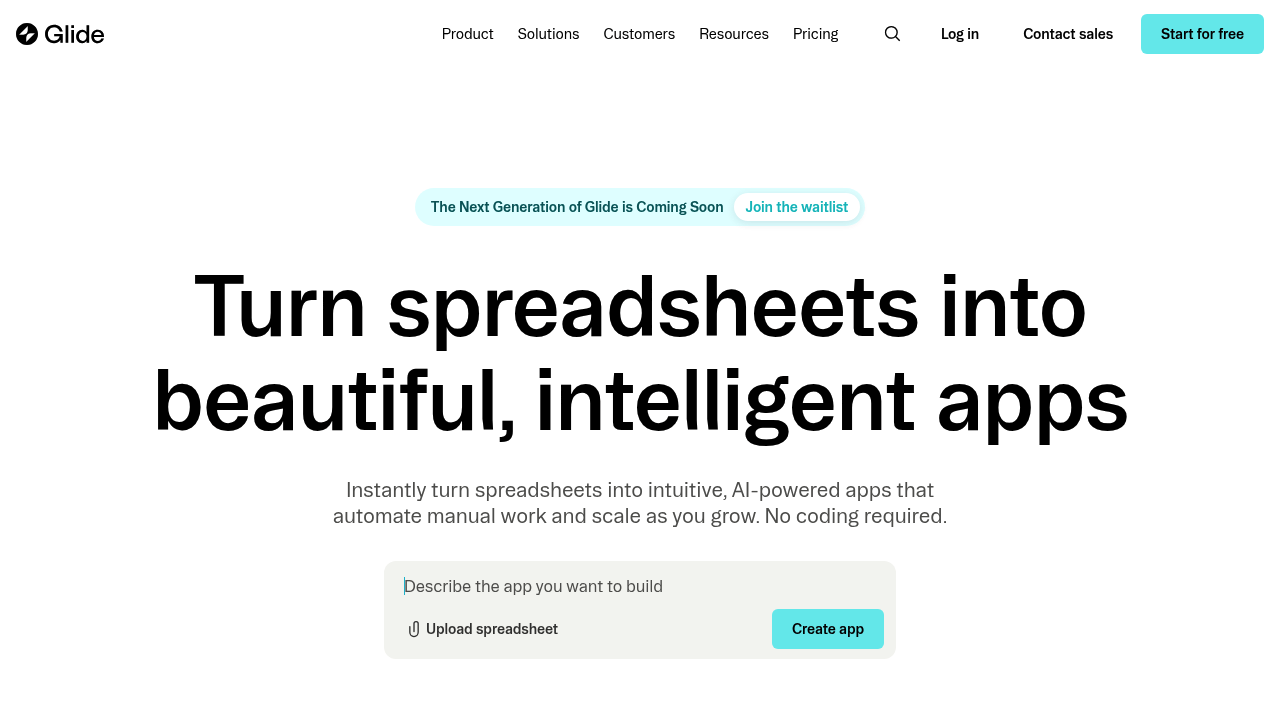
Glide is a no-code app builder that turns spreadsheet data (Google Sheets, Excel, Airtable, SQL databases) into web apps — making it a Replit alternative for non-technical teams who need functional apps from existing data without writing code. Where Replit is a developer-first browser IDE, Glide is a data-layer-first no-code platform powered by AI, targeting operators and founders who think in rows and columns rather than classes and functions.
The tradeoff: you gain speed to a working data app (same-day deployment is common for simple cases), a polished design layer, and AI-powered automation inside the app. You lose all developer flexibility — custom backend logic, non-spreadsheet data sources, and code ownership. There is also a hard 25,000-row cap per app that constrains scale.
Glide produces web apps only — no native mobile publishing. If you need native iOS or Android apps, Glide is not the right choice.
Glide vs. Replit: Quick Comparison
| Decision area | Glide | Replit |
|---|---|---|
| Primary approach | No-code: spreadsheet/DB data → web app with AI components | Code-first browser IDE with AI assist and web deployment |
| Output stack | Web apps (mobile-responsive); no native app publishing | Web, backend, scripts — any language |
| AI capability | AI columns, AI automations, AI components within apps | Ghostwriter — code completion, generation, chat |
| Visual editing | Core feature — drag-and-drop UI builder with AI | Minimal — code-first, no visual drag-and-drop |
| Figma import | Not supported | Not supported |
| Deployment | Glide-hosted web apps; custom domains on paid plans | Replit-hosted; custom domains on paid plans |
| Database | Google Sheets, Excel, Airtable, SQL databases, Glide Tables | Replit DB (key-value); PostgreSQL via add-ons |
| Authentication | Built-in user auth, email/PIN login, SSO on higher tiers | Not built-in; via third-party libraries |
| Mobile support | Mobile-responsive web apps only; no App Store publishing | No native mobile app publishing |
| Git/GitHub workflow | Not applicable — no-code platform | GitHub import/export supported |
| Code export / portability | No code export — proprietary platform lock-in | Full code access; can export and self-host |
| Collaboration | Multi-user app builder; role-based permissions for app users | Real-time multiplayer code collaboration |
| Error handling / debugging | No code debugging; data validation and UI-level errors | Built-in debugger, console, error highlighting |
| Row cap | 25,000 rows per app — hard limit | No equivalent row limit |
| Pricing model | Seat + usage-based; 5 tiers from Free to Enterprise | Seat-based with compute limits |
| Free plan | Yes — limited apps and users | Yes — limited compute, public Repls only |
| Paid plans | Maker (~$25/mo), Team, Business, Enterprise | Core $25/mo; Teams $40+/mo |
What Glide Does Differently
AI Inside the App, Not Just in the Builder
Glide's AI features are embedded into the apps you build, not just the development process. "AI columns" can classify, extract, or generate data for each row automatically. AI automations trigger workflows based on data changes. This means you can build apps where AI is doing real work at runtime — not just a feature of the building experience.
Replit's AI (Ghostwriter) helps you write code during development. What you do with that code in production is your implementation. Glide's AI follows the data, which is a different paradigm suited to operations and data-transformation use cases.
Broadest Spreadsheet/Database Connector Coverage
Glide supports Google Sheets, Excel, Airtable, multiple SQL databases, and its own Glide Tables as data sources. This breadth means teams with data in different systems can connect to Glide without migrating. Softr focuses on Airtable and Sheets; Glide covers more ground including SQL databases for slightly more technical teams.
The flip side: Glide still needs an external data source or its own Glide Tables — it doesn't replace a purpose-built backend. For applications where the data model is complex or grows fast, the 25K row cap and spreadsheet-anchored model eventually become limiting.
Same-Day Deployment for Data-Driven Apps
For a team that has data in a spreadsheet and needs a usable app today, Glide's turnaround is genuinely fast. The drag-and-drop builder with pre-built UI components, combined with automatic data binding from connected sources, makes it possible to have a working app in hours. Replit's starting point is always a blank file or template that requires code — Glide's starting point is your existing data.
This speed advantage narrows as complexity grows — once you need custom logic, Glide's no-code approach becomes a constraint. But for the first version of a data-display app, the development speed differential is real.
Known Limitations
- 25,000-row hard cap per app: This is a structural constraint that doesn't scale with Glide pricing tiers. If your data grows beyond 25K rows, you cannot stay on Glide without splitting your app or restructuring your data. For any application with significant data growth expected, this is a planning-critical limitation.
- No code export — full platform lock-in: Glide does not export your app as code. Migrating away from Glide means rebuilding your application from scratch. This is a significant long-term risk for any product where data or logic may need to evolve beyond what Glide can handle.
- No native mobile app publishing: Despite looking app-like on mobile, Glide produces web apps — not native iOS or Android apps. There is no App Store or Play Store publishing path. If native mobile matters for your product, Glide is the wrong choice.
- Pricing complexity and cost unpredictability at scale: Glide's pricing scales with updates, users, and AI usage. Heavy operational apps or large teams may encounter costs significantly higher than the base plan price suggests. Evaluate actual usage projections carefully before committing at scale.
- Custom logic ceiling: Glide handles data display, CRUD operations, and AI automations well. Complex conditional logic, multi-step workflows, or custom API integrations hit the platform's limits quickly compared to Replit's arbitrary code execution.
Who Should Choose Glide Over Replit?
- Operations teams managing data in Google Sheets or Airtable: If your team's source of truth is a spreadsheet and you need a better interface without an engineering team, Glide turns that spreadsheet into a working app without any code.
- Founders validating a data-driven product idea quickly: For a first version of a directory, tracker, or internal tool where speed matters more than technical elegance, Glide's same-day deployment beats Replit's code-from-scratch approach.
- Non-technical product managers building team tools: Project trackers, hiring pipelines, inventory managers — these are common Glide use cases that a PM can build and own without developer involvement, which is impossible with Replit.
- Teams that need AI inside the app at runtime: If you want AI to automatically classify, transform, or generate data for each row in your connected database as part of normal app operation, Glide's AI columns are a unique capability not available in Replit's code-first model without significant custom implementation.
When Replit Is Still the Better Choice
- Your app will grow beyond 25,000 rows: If data volume is significant or expected to grow, Replit with a real database (PostgreSQL, etc.) has no such structural constraint. Glide's row cap is a hard ceiling that can force costly migrations.
- You need custom backend logic or APIs: Replit can build and deploy any backend service. Glide is strictly a frontend-and-data-display tool — it cannot expose an API, run background jobs, or execute arbitrary server-side logic.
- You want code ownership and portability: Replit gives you full source code that you own. Glide gives you a platform-locked app with no code export. For any project with long-term value, this distinction matters.
- Your team includes developers: Developers will not find Glide useful for their own work. Replit is a developer platform; Glide is a business user platform. Mixed teams should evaluate which persona they're optimizing for.
- You need native mobile apps or App Store presence: Neither Glide nor Replit delivers this, but if mobile is a requirement, both platforms fall short — and you need to look at a0.dev or Adalo instead.
Pricing Comparison & Cost at Scale
Glide Plan Overview
- Free: Limited apps, editors, users; Glide branding
- Maker (~$25/mo): Personal or small team use
- Team: More editors, users, updates
- Business: SSO, more capacity
- Enterprise: Custom pricing, SLA
- Note: Specific per-plan user limits and update allotments should be verified at the official pricing page, as they may have changed.
Replit Plan Overview
- Free: Public Repls, limited compute
- Core: $25/mo per user
- Teams: From $40/mo per user
| Scenario | Glide | Replit | Notes |
|---|---|---|---|
| Solo founder, small internal tool | Free → Maker (~$25/mo) | Free → $25/mo Core | Similar cost; Glide faster if no-code; Replit if custom logic |
| 5-person ops team, shared tool | Team tier (verify current pricing) | $125+/mo (5x Core or Teams) | Glide may be cheaper for non-technical teams |
| Product with >25K rows data | Not possible — hard row cap | Scales with database choice | Replit is the only option at data scale |
Prices are subject to change. Check the official Glide pricing page for the latest details. AI features and high-volume usage may incur additional costs beyond base plan pricing.
How Glide Compares to Other Options
- vs. Softr: Both are no-code app builders targeting spreadsheet users. Softr has a stronger auth and portal focus with more data source variety. Glide has better AI-inside-the-app features (AI columns, runtime AI automations) and a broader SQL connector. For data-transformation and AI-augmented workflows, Glide edges ahead; for client portals with clean auth, Softr is more polished.
- vs. Adalo: Adalo builds native iOS/Android apps; Glide builds web apps from data. Different primary outputs. If App Store presence is needed, Adalo is relevant; if web-based data apps are needed, Glide is the right comparison.
- vs. Bubble: Bubble is a full no-code application platform with its own database and more logic depth than Glide. Bubble can handle complex app logic that Glide cannot; Glide is faster for simple data-display apps. If logic complexity is a requirement, Bubble scales further.
FAQ
Is Glide free?
Yes, Glide has a free plan with limited apps, editors, and users. Paid plans start around $25/month. AI features and high-volume usage will add to costs — evaluate your expected usage against current plan limits on the official pricing page before committing.
Can Glide replace Replit?
Only for non-technical teams building data-driven web apps. Glide cannot replace Replit for any use case requiring custom code, complex server-side logic, or developer workflows. For operators and founders building apps from spreadsheet data without engineering resources, Glide is faster and more appropriate than Replit.
What is the 25,000-row cap?
Glide enforces a hard limit of 25,000 rows per app across all pricing tiers. This means if your data source exceeds 25K rows, Glide cannot serve that data in a single app. For large datasets or applications expected to grow significantly, this is a critical constraint to evaluate before building on Glide.
Is Glide good for beginners?
Yes — for non-technical beginners building apps from spreadsheet data. The drag-and-drop interface and AI assistance are designed for users with no coding background. Technical beginners learning to code should use a code-first platform like Replit instead.
Does Glide publish native mobile apps?
No. Glide produces mobile-responsive web apps only. There is no App Store or Google Play publishing path. If native mobile app presence is required for your product, Glide is not the right platform — look at a0.dev or Adalo instead.