v0
AI app builder by Vercel for designing, iterating, and deploying web apps with visual editing, GitHub sync, and Vercel-native deployment.
v0 as a Replit Alternative: Comparison & Decision Guide (2026)
v0 is a strong Replit alternative for founders, designers, and product teams that want to generate and publish web apps fast without living inside a traditional IDE. It trades Replit's browser coding workspace for a more opinionated prompt-to-app flow with visual editing, GitHub sync, Vercel deployment, and credits that map directly to generation usage. Developers who need a general-purpose cloud IDE, language breadth, or a normal coding workflow as the center of the experience should stay with Replit rather than switching fully to v0.
v0 vs Replit: Quick Comparison
| v0 | Replit | |
|---|---|---|
| Primary approach | Prompt-to-app builder with visual iteration | Browser-based cloud IDE and app workspace |
| Output stack | Web-first apps and websites, Vercel-oriented workflows | Broader coding environment with hosted projects |
| AI capability | Agentic by default, plans tasks, connects pieces, generates apps | Replit Agent inside hosted workspace |
| Visual / UI editing | Design Mode and live preview are core features | Browser editor and previews, but less design-first than v0 |
| Figma import | Not confirmed in official v0 docs fetched for this run | Not a core Replit promise |
| Deployment | One-click deployment to Vercel | Built-in Replit app publishing / hosting flows |
| Database | Can connect to databases during build flow | External or app-stack specific |
| Authentication | App-level implementation, tool-assisted | External or app-stack specific |
| Mobile support | iOS app for building on the go; output is still web-focused | Browser-based access, but not a dedicated mobile app builder |
| GitHub sync | Yes, explicitly supported | Repo workflows exist, but GitHub sync is not the main marketing differentiator |
| Code portability | Good for generated web projects; still Vercel-shaped in workflow | Good, but tied to hosted workspace experience |
| Collaboration | Shared chats, shared projects, centralized billing on team tiers | Link-based workspace collaboration is simpler for coding together live |
| Error handling | Iterative generation and refinement through app-building flow | Debug and iterate inside hosted IDE |
| Pricing model | Credit-based with monthly credits and token-priced models | Subscription plus hosted platform usage |
| Free plan | Free with $5 monthly credits and 7 messages/day | Starter with free daily Agent credits |
| Paid plans | Premium $20, Team $30/user, Business $100/user, Enterprise custom | Core from $20, Enterprise custom |
What v0 Does Differently
Design-to-app workflow instead of IDE workflow: v0 is built for people who want to prompt, preview, refine, and publish web apps quickly. Replit can absolutely be used to build apps, but the starting mental model is still much closer to coding in a browser IDE. v0 feels more like a product-building assistant than a general-purpose development environment.
Vercel-native deployment path: v0's publish story is tightly aligned with Vercel. That matters if your target is a modern web app or landing page and you want the shortest path from prompt to deployed result. Replit is better when you want the hosted environment itself to be the center, while v0 is better when the output is the center.
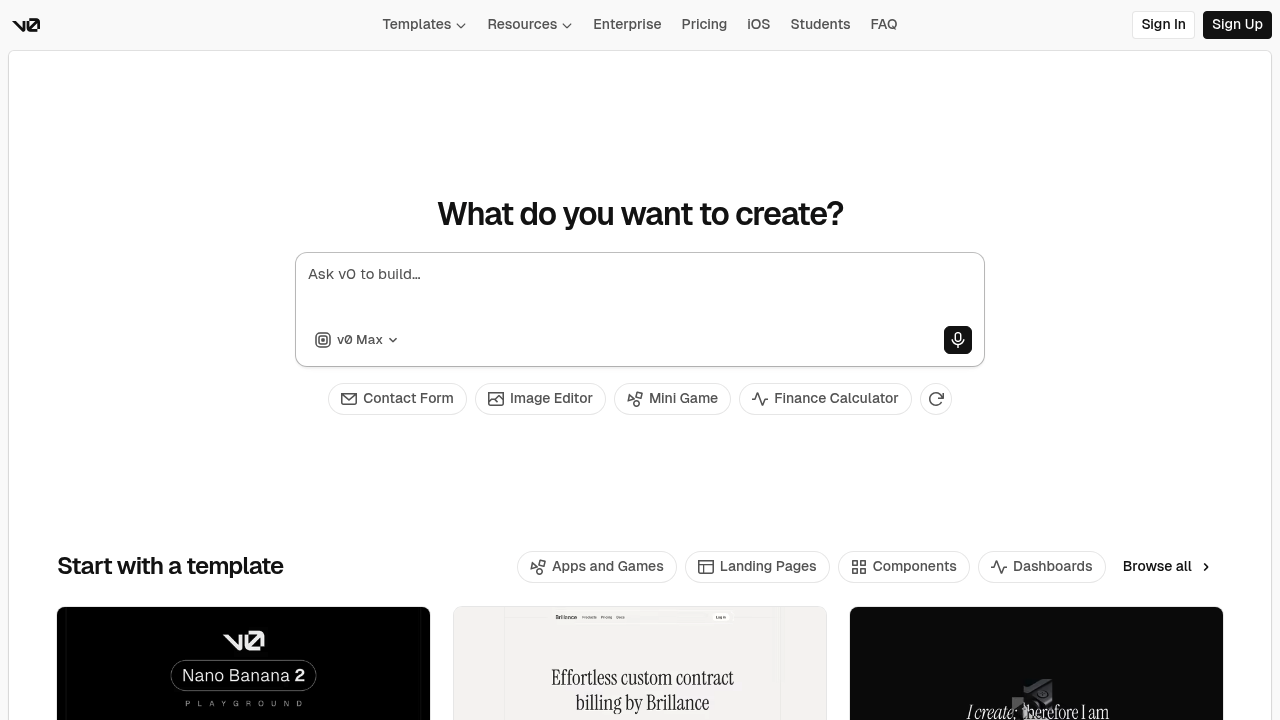
Visual tuning is part of the core product: The official pricing and homepage emphasize Design Mode, templates, live preview, design systems, and generating working applications quickly. Replit has previews and an editor, but it does not position itself as strongly around visual app shaping and design iteration.
Credit model ties cost directly to generation intensity: v0 is explicit that credits behave like a prepaid balance and that token usage varies by model and prompt size. That gives transparency, but it also means the tool naturally fits teams that accept variable AI generation economics rather than people who prefer a simpler coding subscription.
Known Limitations
-
Credit-based pricing is less predictable than a normal coding subscription: v0 includes monthly credits and then requires extra credit purchases when you exhaust them. That is a genuine budgeting disadvantage versus tools where you can keep coding without thinking about token cost every time you iterate heavily.
-
Weaker as a general-purpose development environment than Replit: Replit is still the better choice when you want a real browser IDE for broader software work, language experimentation, and coding workflows that are not primarily about generating web apps.
-
The workflow is Vercel-shaped: v0's biggest strength is also a constraint. Teams that do not want their generation and deployment flow to orbit Vercel will feel more platform gravity here than in a neutral local IDE or a generic coding environment.
-
Context and output limits matter on large generations: The official docs list a 128,000-token context window and 32,000-token output limit for a single response. That is enough for serious work, but it is still a real ceiling for large app generation sessions.
-
Less suitable for polyglot engineering teams: v0 is strongest for web application generation, design systems, and Vercel-style deployment. Replit is the broader choice if the team jumps between multiple languages, runtimes, and non-web experiments.
-
Collaboration is project-sharing, not the same as coding together in one browser IDE: Team features are real, but the product is optimized for shared generation and review flows. Replit remains more natural for link-first collaborative coding sessions.
Who Should Choose v0 Over Replit
Choose v0 when:
- Product designers shipping web prototypes — v0 is better because Design Mode, templates, and rapid visual iteration are built into the product instead of being side benefits.
- Founders validating a web app idea quickly — v0 is stronger when the goal is to generate a working product shell, connect the basics, and publish fast rather than manage a full coding environment.
- Teams already standardized on Vercel — the deployment path and platform fit are excellent if Vercel is already the destination.
- Developers who want AI to act like an app-building partner — v0 is a better fit if the work starts with prompts, scope, structure, and design, not with opening a general-purpose IDE.
Stay with Replit when:
- Students and developers learning through code — Replit is better when you want to see, run, and tweak code in a more traditional browser IDE environment.
- Polyglot teams building beyond web apps — Replit is a broader coding platform for mixed runtimes and general software tasks.
- Users who hate usage-based thinking — Replit is easier if you do not want generation costs to scale with token-heavy sessions.
- Teams that need hosted coding first, not prompt-driven app generation first — Replit keeps the environment central, while v0 keeps the generated product central.
Pricing Comparison & Cost at Scale
Plan Overview
| Plan | v0 | Replit |
|---|---|---|
| Free | $0/month, $5 monthly credits, 7 messages/day | Starter, free daily Agent credits |
| Entry paid | Premium $20/month, $20 monthly credits | Core from $20/month |
| Mid-tier | Team $30/user/month | No clearly exposed mid-tier price in fetched snapshot |
| Business / Enterprise | Business $100/user/month, Enterprise custom | Enterprise custom |
Realistic Monthly Cost by Usage Level
| Usage level | Prompts / generation pattern | v0 estimated cost | Replit estimated cost |
|---|---|---|---|
| Casual | Landing page, MVP sketch, light iterations | $0–20 | $0–20 |
| Moderate | Regular weekly generation and polish | $20–30 plus extra credits if needed | around Core plan, depending on agent / hosting behavior |
| Heavy | Daily product iteration, lots of model calls | $30–100+ because credits can run out and extra usage is likely | often easier to start on Core, but total cost depends on hosted usage and agent intensity |
Assumptions: v0 officially documents monthly credits, rollover rules, model pricing per million tokens, a 128k context window, and extra credit purchases on paid tiers. Replit's official page clearly exposes Starter and Core in the fetched snapshot, but deeper heavy-usage math depends on how much hosted compute and agent activity the workflow drives. Prices are subject to change. See v0 Pricing, v0 Pricing Docs, and Replit Pricing.
How v0 Compares to Other Replit Alternatives
vs Cursor: Cursor is for developers who already live in code and want an AI-native IDE. v0 is for users who want a generated web product and care more about speed, preview, and deployment than about editor depth.
vs Lovable: Lovable and v0 both target prompt-driven app generation, but v0 is more tightly connected to Vercel-style deployment and token-priced model usage. Lovable can feel simpler for some app-generation workflows, while v0 is stronger for teams already inside the Vercel ecosystem.
vs Bolt: Bolt stays closer to a browser coding environment with AI assistance, while v0 is more deliberately shaped around generation, visual refinement, and shipping. If you still want an IDE feeling in-browser, Bolt is closer to Replit; if you want the fastest idea-to-web-app path, v0 is often cleaner.
FAQ
Is v0 free?
Yes, v0 has a free plan. The free tier includes $5 of monthly credits and a 7 message per day limit. That is enough to test the workflow, but serious app iteration usually moves quickly into paid tiers.
Can v0 replace Replit?
Partially, for web app generation. v0 can replace Replit when your main job is generating and polishing web apps fast. It does not replace Replit as a broad browser IDE for general software development.
How does v0 compare to Replit?
v0 is more generation-first. Replit is more workspace-first. v0 prioritizes prompting, visual editing, GitHub sync, and Vercel deployment, while Replit prioritizes the hosted coding environment itself.
What is v0's key feature?
Prompt-to-app generation. v0 plans tasks, generates working applications, and helps connect pieces like deployment and databases. That matters because it compresses the path from concept to usable web app.
Is v0 good for beginners or non-technical users?
Yes, more than Replit in some cases. Non-technical builders often find v0 easier because the product centers generation and visual refinement rather than a full coding workspace. Developers still get more value from it when they can review and adjust the generated output.
Can I export my code from v0?
Yes, through normal project workflows. v0 supports GitHub sync and produces real project output instead of trapping the result in a black box. The workflow is still shaped by the Vercel ecosystem, so portability is good but not ecosystem-neutral in practice.