Cursor
AI-native code editor with autonomous agents, codebase-aware assistance, and multi-model support for professional software development.
Cursor as a Replit Alternative: Comparison & Decision Guide (2026)
Cursor is one of the strongest Replit alternatives for developers who want an AI-first IDE on their own machine instead of a browser-based coding workspace. It trades Replit's instant, cloud-hosted setup for deeper codebase awareness, autonomous background agents, and lower lock-in because your project stays in a normal local repo. Teams that need zero-setup browser collaboration, classroom-style sharing, or built-in hosting should stay with Replit instead of moving their workflow into Cursor.
Cursor vs Replit: Quick Comparison
| Cursor | Replit | |
|---|---|---|
| Primary approach | AI-native desktop IDE | Browser-based cloud development environment |
| Output stack | Works with local repos and many languages/frameworks | Works in hosted browser workspaces with runtime support and hosted apps |
| AI capability | Agentic editing, background agents, codebase-aware assistance | Replit Agent plus browser IDE workflow |
| Visual / UI editing | No dedicated visual builder | Browser workspace, previews, and app sharing |
| Figma import | Not publicly documented | Not a core Replit workflow |
| Deployment | External; use your own hosting path | Built-in app publishing and hosted flows |
| Database model | External / bring your own | External services or Replit-managed app workflows depending on project |
| Authentication | External / framework-specific | External or app-stack specific |
| Mobile app support | Build mobile code locally, but no dedicated mobile builder UX | Can prototype and ship web-first apps from browser; native mobile is not a first-class promise |
| Git workflow | Native local Git repo workflow | Browser-based project workflow with repo integrations |
| Portability | High; files remain in standard local projects | Good, but the hosted workflow is still centered on Replit |
| Collaboration | Team billing and admin controls; real-time multiplayer editing is not publicly documented | Built for browser-based sharing and easier link-based collaboration |
| Error handling | Agents can inspect, edit, run, and iterate across the codebase | Replit Agent helps inside hosted workspace, but Cursor is more IDE-centric |
| Privacy controls | Privacy mode available; code not stored by model providers when enabled | Replit privacy depends on plan and stack choices |
| Pricing model | Seat + included usage + on-demand overages | Subscription + hosted platform / credit model depending on plan and usage |
| Free plan | Hobby, free, limited Tab completions | Starter, free daily Agent credits |
| Paid plans | Pro $20, Pro+ $60, Ultra $200, Teams $40/user, Enterprise custom | Core from $20, Enterprise custom (official page also shows free Starter) |
What Cursor Does Differently
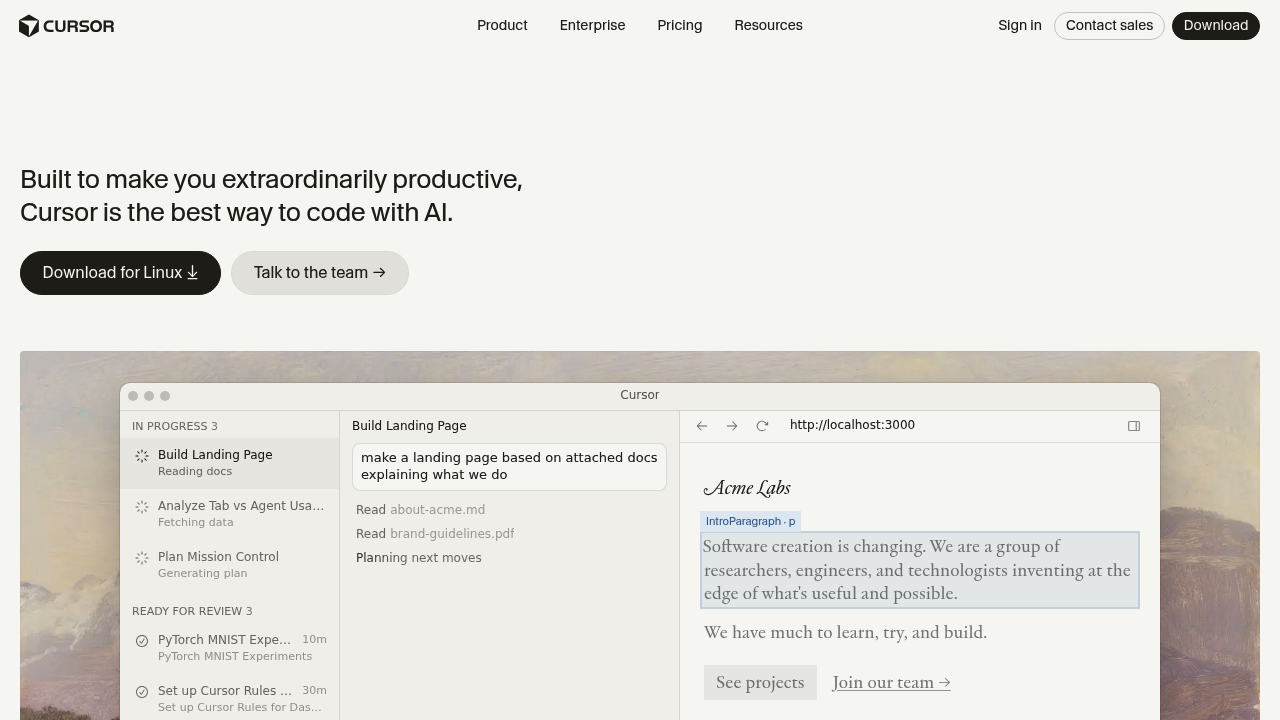
Autonomous background agents: Cursor leans harder into agent-style development than Replit's default browser workflow. The product page explicitly positions agents as tools that can build, test, and demo work end to end, which matters if you want AI to handle multi-step engineering work instead of only producing inline suggestions.
Desktop-first code ownership: Cursor works inside a normal local development setup rather than asking you to adopt a hosted workspace as your primary environment. That makes it easier to keep existing repos, dev scripts, package managers, and infrastructure choices exactly where they already live, while Replit is better when you want the environment itself managed for you.
Model choice at the IDE layer: Cursor highlights model choice across OpenAI, Anthropic, Gemini, xAI, and Cursor's own options. Replit also uses AI, but Cursor's positioning is more explicitly about choosing the best model for each task inside the editor rather than centering the browser workspace first.
Deeper fit for large existing codebases: Cursor's pitch around complete codebase understanding targets professional developers working in non-trivial repositories. Replit is easier for greenfield browser projects, tutorials, and quick hosted prototypes; Cursor is stronger when the real problem is navigating and changing a serious codebase quickly.
Known Limitations
-
No hosted environment advantage: Cursor does not replace Replit's biggest convenience layer: open a browser and start coding instantly. If your team values zero local setup, temporary environments, or quick link-sharing more than IDE depth, Replit stays easier.
-
Weaker built-in deployment story: Cursor is an editor, not a hosted app platform. Replit can take a project from workspace to shared app faster because hosting is part of the product story, while Cursor assumes you already have a deployment path.
-
Usage costs can become less predictable than Replit's entry plan: Cursor includes plan-based usage and then bills on-demand usage in arrears after included amounts are consumed. That is a weaker budgeting model than a simpler fixed-seat tool when a team runs heavy agent workflows daily.
-
No strong non-technical workflow: Cursor is still an IDE product. Replit is not fully no-code either, but its browser workflow is easier to hand to learners, founders, or collaborators who do not want to manage a local editor, filesystem, or dev environment.
-
Real-time multiplayer is not the main pitch: Cursor has Teams and Enterprise administration, but public product positioning focuses on AI productivity, not browser-style live collaboration. Replit is stronger when multiple people need quick access to the same environment through a URL.
-
Visual product iteration is weaker than builder-style alternatives: Compared with prompt-to-app tools and even with Replit's hosted preview flow, Cursor is still fundamentally code-first. Product teams choosing between an IDE and a prototype platform should not mistake that for the same job.
Who Should Choose Cursor Over Replit
Choose Cursor when:
- Backend engineers maintaining an existing production repo — Cursor fits better because the project already lives in Git, already has scripts and infra, and the main need is faster code changes, debugging, and multi-file edits.
- Developers who want autonomous AI help without leaving their IDE — Cursor is stronger when you want agentic editing, background work, and codebase-aware assistance inside a professional editor.
- Teams with strong local development habits — If Docker, local services, custom CLIs, and internal tooling already define the workflow, Cursor adds AI without forcing a move into a hosted browser environment.
- Organizations that care about privacy mode — Cursor is a better fit when you need a documented switch that prevents code storage by model providers while still keeping an AI coding workflow.
Stay with Replit when:
- Founders who want instant browser-based collaboration — Replit is better if the priority is sending a link and getting someone into the workspace immediately.
- Teachers, students, and workshops — Replit remains easier for education because setup friction is lower and everything runs in the browser.
- Prototype-heavy teams that want hosting baked in — Replit wins when the product and the runtime are intentionally bundled.
- Users who do not want a local IDE workflow at all — If installing, configuring, and operating a desktop editor is already a deal-breaker, Replit is the cleaner choice.
Pricing Comparison & Cost at Scale
Plan Overview
| Plan | Cursor | Replit |
|---|---|---|
| Free | Hobby — free, limited Tab completions | Starter — free, daily Agent credits |
| Entry paid | Pro — $20/month | Core — from $20/month |
| Mid-tier | Pro+ — $60/month | Not clearly exposed in fetched snapshot; official page centers Starter/Core plus enterprise paths |
| Team / Enterprise | Teams — $40/user/month; Enterprise custom | Enterprise custom |
Realistic Monthly Cost by Usage Level
| Usage level | Typical pattern | Cursor estimated cost | Replit estimated cost |
|---|---|---|---|
| Casual | Small side projects, light AI help | $0–20 | $0–20 |
| Moderate | Daily coding, regular agent use | $20–60 | around Core plan, then depends on Replit agent / hosting usage |
| Heavy | Daily agent-driven implementation | $60+ and potentially higher with on-demand usage | often easier to start at $20, but real cost depends on how much agent work and hosted usage the workflow triggers |
Assumptions: Cursor's official pricing explicitly mentions included usage plus on-demand billing after included amounts are consumed. Replit's official pricing page clearly exposes Starter and Core in the fetched snapshot, but heavier usage details depend on how much hosted and agent activity your workflow actually needs. Prices are subject to change. See the official pricing pages: Cursor Pricing and Replit Pricing.
How Cursor Compares to Other Replit Alternatives
vs Windsurf: Cursor and Windsurf both target AI-native coding inside a desktop IDE, but Cursor currently has the stronger brand pull and broader market adoption. Windsurf competes well on value and agent workflows, while Cursor usually wins when a team wants the best-known AI IDE rather than the cheapest capable one.
vs GitHub Copilot: GitHub Copilot is easier to add as an assistant layer to an existing editor, but Cursor is the more opinionated AI-first IDE. If you want AI woven into the whole editing model, Cursor is the stronger Replit alternative; if you only want completions and chat inside a familiar IDE, Copilot is lighter.
vs v0: v0 is a prompt-to-app builder and publishing tool, not a general IDE. Cursor is stronger for engineers shipping and maintaining real repos, while v0 is stronger for fast UI and app generation where visual speed matters more than editor depth.
FAQ
Is Cursor free?
Yes, Cursor has a free plan. The Hobby tier is free and includes limited Tab completions. It is enough for testing the editor, but serious daily usage usually pushes people toward Pro or higher tiers.
Can Cursor replace Replit?
Partially, for developers. Cursor can replace Replit when your real need is an AI-powered IDE for existing repos. It does not replace Replit's strongest browser-native advantages like instant hosted environments and easy link-based collaboration.
How does Cursor compare to Replit?
Cursor is more IDE-first. Replit is more environment-first. Cursor is stronger for local professional development and codebase-heavy work, while Replit is better for fast browser access, teaching, and hosted app workflows.
What is Cursor's key feature?
Autonomous coding agents. Cursor emphasizes agents that can work through multi-step development tasks with codebase awareness. That matters because it moves the tool beyond autocomplete into end-to-end implementation help.
Is Cursor good for beginners or non-technical users?
Not really. Beginners can use it, but Cursor assumes comfort with a desktop editor, local files, and normal development tooling. Replit is usually easier for new users because the setup burden is much lower.
Can I export my code from Cursor?
Yes, by default. Cursor works on normal files in normal repositories, so there is no special export ceremony. That portability is one of its clearest advantages over more hosted or platform-shaped alternatives.