Gitpod
Contact
Gitpod
Gitpod: A Replit Alternative in 2026
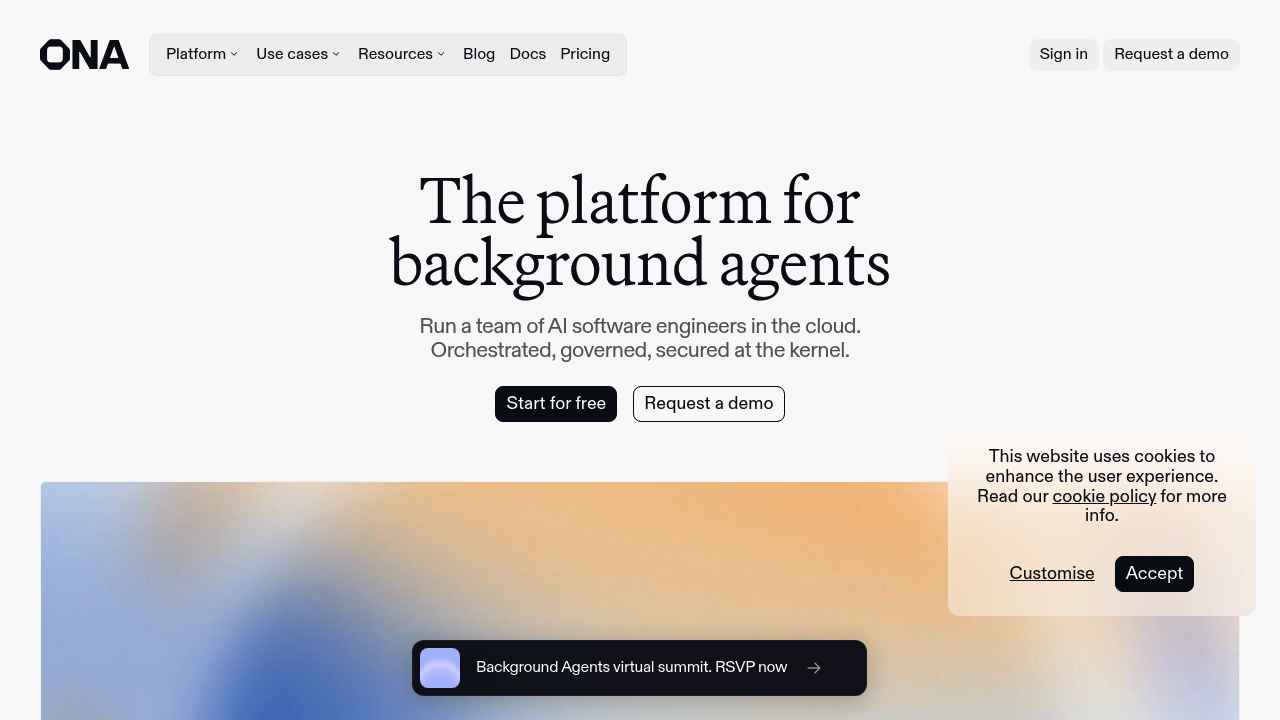
Gitpod is a cloud development environment platform that launched as a developer-friendly alternative to local setup and browser IDEs. In 2025–2026, Gitpod evolved significantly — gitpod.io now redirects to Ona, reflecting the product's pivot toward AI-driven background agents and automated software engineering. This entry covers Gitpod as an ephemeral cloud IDE and its current evolution. The key tradeoff compared to Replit: Gitpod was designed for professional, Git-centric workflows with reproducible environments, whereas Replit prioritizes zero-setup onboarding and integrated AI code generation. Beginners, users who need one-click app deployment without CI/CD knowledge, or teams that prefer Replit's all-in-one simplicity should not expect Gitpod to serve those needs.
Gitpod vs. Replit: Feature Comparison
| Feature | Gitpod | Replit |
|---|---|---|
| Primary approach | Ephemeral cloud dev environments launched from Git repos; pivoting to AI agent infrastructure | Browser-first IDE with AI-first code generation and deployment |
| Output stack | Any language; configured via .gitpod.yml or devcontainer.json | Wide language support with pre-built templates |
| AI capability | AI background agents (Ona platform); not embedded in classic IDE flow | Replit AI built-in for code completion, generation, and fixing |
| Visual editing | Not supported | Not supported |
| Figma import | Not supported | Not supported natively |
| Deployment | Not built-in; requires external CI/CD | Built-in one-click deployment (Replit Deployments) |
| Database | Not built-in; external service required | Built-in key-value store; Postgres on paid plans |
| Auth | Not built-in; use external identity providers | Not built-in; third-party integrations |
| Mobile support | Browser access only; not optimized for mobile | iOS/Android apps available |
| Git workflow | Deeply integrated — workspaces launch from Git branches and PRs | Git available but secondary to Replit UX |
| Code export/portability | Full — Git-native, no lock-in | Export possible; less streamlined |
| Collaboration | Shared workspaces; organization access controls | Multiplayer editing built-in |
| Error handling | Standard IDE; no AI-assisted error detection in classic Gitpod | AI-assisted error fixes |
| Pricing model | Usage-based or organization subscription; enterprise on-prem available | Subscription tiers |
| Free plan | Free early access during preview phases; current pricing not publicly documented for all tiers | Limited free tier |
| Paid plans | Organization and enterprise plans; contact sales for enterprise pricing | Core, Pro, Teams tiers ~$7–$20/month |
What Gitpod Does Differently
- Ephemeral-first architecture: Gitpod's original design philosophy is that development environments should be disposable. You spin up a workspace, do your work, commit, and discard the environment. This eliminates "works on my machine" problems at scale.
- AI agent infrastructure (Ona): Gitpod has evolved into Ona — a platform for running AI software engineering agents in isolated, governed cloud environments. Tasks go in, pull requests come out. This is a fundamentally different model than Replit's interactive coding assistant.
- Enterprise governance: Gitpod/Ona offers kernel-level policy enforcement, VPC deployment, audit trails, and scoped credentials — capabilities that consumer browser IDEs including Replit do not provide at the same depth.
- Self-hosted option: Enterprise customers can deploy Gitpod in their own infrastructure, including air-gapped environments. This is not available in Replit.
Known Limitations
- Pricing transparency: Current pricing for Gitpod/Ona is not fully public for all tiers. Enterprise plans require contacting sales, and the free tier scope has changed during the platform's transition.
- Weakest area vs. Replit: No built-in deployment or hosting. To publish an app, you must configure external infrastructure. Replit offers one-click deployment as part of the core workflow.
- Platform identity flux: Gitpod's pivot to Ona means the product roadmap and positioning shifted significantly in 2025. Teams evaluating Gitpod should assess the current Ona offering, not the legacy Gitpod Classic feature set.
- Not beginner-friendly: Gitpod requires knowledge of Git, repositories, and ideally devcontainer or .gitpod.yml configuration. The complexity ceiling is higher than Replit.
Who Should Choose Gitpod Over Replit
- Engineering teams that need reproducible, disposable dev environments tied to every branch and PR.
- Organizations exploring AI-automated software engineering pipelines where background agents execute tasks end-to-end.
- Enterprises with strict compliance, air-gapped requirements, or VPC-level control over developer tooling.
- Teams that want Git-first workflows where environment setup is automated by configuration files, not manual steps.
When Replit Is Still the Better Choice
- You want to build and deploy a prototype in one session without configuring containers, repos, or CI/CD pipelines.
- You are a student, educator, or hobbyist who needs a zero-setup coding environment accessible from any device.
- You need interactive AI assistance that edits code, explains errors, and answers questions in real time.
- You need mobile app access to code from a phone or tablet.
Pricing Comparison & Cost at Scale
Gitpod / Ona:
- Historically: free tier with limited workspace hours; paid plans starting at ~$9/month for individuals (Gitpod Classic).
- Current (as of 2026): pricing is partially documented; free early access was offered during Ona preview. Enterprise pricing requires contact with sales.
- On-premise and enterprise: custom pricing for self-hosted deployments.
- Risk note: Platform is in active transition. Pricing and feature availability may change. Verify current plans at gitpod.io or ona.com before committing.
Replit: Free plan with limited compute; Core at ~$20/month; predictable flat-rate pricing.
How This Tool Compares to Other Options
- vs. GitHub Codespaces: Both use ephemeral cloud VMs with VS Code and devcontainer support. Codespaces is more GitHub-native; Gitpod historically supported GitLab and Bitbucket as well. Gitpod's AI agent direction diverges from Codespaces' interactive IDE model.
- vs. StackBlitz: StackBlitz runs compute inside the browser (WebContainers) — no remote VM required. Faster startup, more limited system-level support. Gitpod uses server-side VMs, enabling heavier workloads.
- vs. Replit: Replit targets interactive coding, AI assistance, and quick deployment. Gitpod/Ona targets automated, agent-driven development pipelines for engineering teams.
FAQ
- Is Gitpod free?
- Gitpod has historically offered a free tier. As of 2026, with the transition to the Ona platform, free tier availability depends on the current plan structure. Check gitpod.io/pricing or ona.com for current details.
- Can Gitpod replace Replit?
- For professional, Git-centric development: yes, in many workflows. For quick browser-based prototyping with built-in AI and deployment: no. The tools serve different maturity levels and use cases.
- How does Gitpod compare to GitHub Codespaces?
- Both provide VS Code-based cloud dev environments launched from Git repos. Codespaces has deeper GitHub integration; Gitpod supported more Git platforms and pioneered the ephemeral workspace model. The Ona evolution adds AI agent infrastructure not present in Codespaces.
- What is Gitpod's key workflow?
- Open a workspace from any branch or PR with a single click (or command). The environment pre-loads with all dependencies defined in .gitpod.yml or devcontainer.json. Work, commit, close — no leftover local state.
- Is Gitpod good for beginners?
- It is less beginner-friendly than Replit. Gitpod assumes familiarity with Git workflows and environment configuration. For first-time coders, Replit or StackBlitz offer lower barriers to entry.
Sources
- Official site: https://www.gitpod.io/
- Current platform (Ona): https://ona.com/
- Pricing: https://gitpod.io/pricing
- Documentation: https://www.gitpod.io/docs