TRAE
AI-powered desktop IDE from ByteDance with autonomous development agents and free access to Claude and GPT-4o.
TRAE - Replit alternative
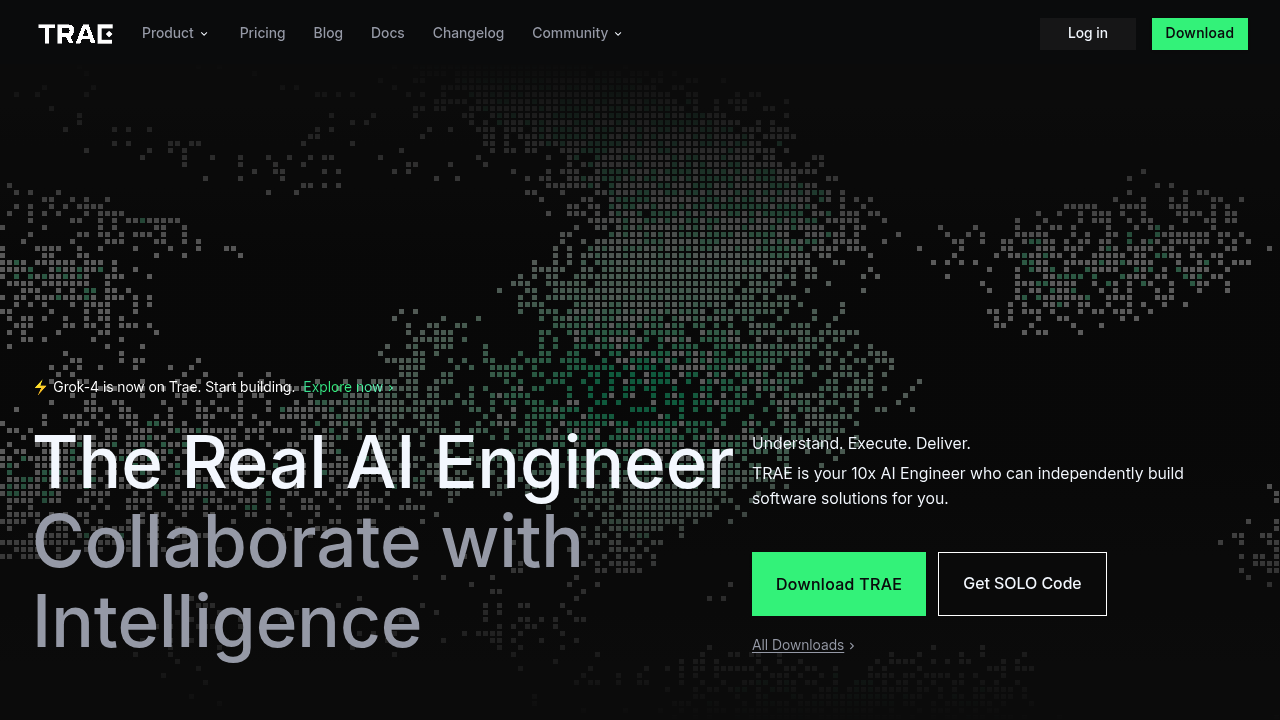
TRAE is an adaptive AI-powered integrated development environment that enhances software through automated task breakdown, code analysis, generation, and real-time assistance. It positions itself as a 10x AI engineer who can independently build software solutions. Built on Visual Studio Code, TRAE supports seamless migration of plugins and settings from VS Code or Cursor. Solo developers benefit from autonomous planning, execution, and deployment capabilities through SOLO mode, which integrates terminal, editor, browser, and documentation into a unified development space.
Strengths
- Offers unlimited free access to Claude 3.7 Sonnet and GPT-4o models during early access phase, eliminating API costs for individual developers.
- Builder mode automatically disassembles and executes tasks while giving users preview and control, combined with multimodal support for uploading images to streamline requirements.
- Supports Model Context Protocol with a dedicated marketplace UI for one-click installation, enabling external tool and database connections.
- SOLO mode functions as an autonomous context engineer that handles the entire development lifecycle from planning to deployment without requiring constant supervision.
- Interface fully optimized for both English and Chinese users, supporting bilingual development workflows.
- Achieved top placement on SWE-bench Verified leaderboard with 500 real GitHub issues, demonstrating strong autonomous coding capabilities.
Weaknesses
- Implements comprehensive telemetry framework with persistent device tracking and multiple data collection endpoints as a ByteDance product, raising privacy concerns.
- Cue tab completion and jump-to-edit features are slower than Cursor's implementation, requiring manual cursor placement.
- SOLO mode remains in beta with limited access requiring invitation codes even for paying Pro users.
- Current aggressive pricing ($3 first month) is unsustainable and likely temporary, with future price increases expected.
- Desktop-only application requiring installation. No browser-based option.
Best for
Developers seeking AI-powered local development with autonomous agent capabilities who need free access to premium models and don't require collaborative cloud-based environments like Replit provides.
Pricing plans
- Free Plan — $0/month — Free option with limited AI request quota. Basic IDE features included.
- Pro Plan — $3 first month for new subscribers (70% promotional discount), then $10/month or $90/year ($7.50/month billed annually) — Full feature access, increased AI request limits, priority support, team collaboration tools, advanced analytics. SOLO mode access requires separate invitation code.
Tech details
- Type: Desktop IDE (VS Code fork)
- IDEs: Standalone application for macOS, Windows 10/11. Linux support planned.
- Key features: AI Q&A, code auto-completion, agent-based programming, Builder mode for task automation, Chat mode for real-time assistance, multimodal understanding. MCP server marketplace with one-click installation. Custom agent creation system with .rules behavior constraints.
- Privacy / hosting: Local-first architecture stores codebase files locally on devices. Temporary file uploads for indexing are deleted after processing with encrypted transmissions. User data deployed based on account location with secure storage in United States, Singapore, and Malaysia. ByteDance telemetry framework (@byted-icube/slardar) collects extensive usage data.
- Models / context window: Claude 3.7 Sonnet, GPT-4o, DeepSeek R1 and V3 models available. Context window size unknown.
When to choose this over Replit
- You need local development with full IDE capabilities and VS Code extension compatibility rather than browser-based coding.
- You want autonomous agent capabilities that handle planning, implementation, testing, and deployment beyond simple code completion.
- You require free access to premium AI models (Claude 3.7, GPT-4o) for prototyping without API costs or subscription fees during early access.
When Lovable may be a better fit
- You need instant browser-based access without installing desktop applications or managing local development environments.
- You require built-in hosting and deployment infrastructure. TRAE focuses on code generation but requires separate deployment setup.
- You have strict data privacy requirements and cannot accept ByteDance's telemetry architecture or multi-layered tracking systems.
Conclusion
TRAE positions itself as an adaptive AI IDE that accelerates development workflows through seamless AI integration and features like AI-powered task building with real-time code completion. Its standout offering is free access to premium models during early access combined with autonomous SOLO mode capabilities. The tool performs well enough to justify consideration as a Cursor alternative, though developers must weigh ByteDance's data collection practices against the value proposition. The current pricing advantage likely represents an aggressive growth strategy rather than a sustainable model.
Sources
- Official site: https://www.trae.ai/
- Documentation: https://docs.trae.ai/
- Pricing: https://www.trae.ai/pricing
FAQ
What makes TRAE different from Replit?
TRAE is a desktop IDE focused on AI-assisted coding with autonomous agents, while Replit is a browser-based collaborative development platform with integrated hosting. TRAE excels at local development with VS Code compatibility, whereas Replit specializes in instant online coding environments with built-in deployment infrastructure.
Is TRAE really free?
TRAE offers a free tier with basic features and limited AI requests. During early access, it provides unlimited free access to Claude 3.7 Sonnet and GPT-4o. Pro plan costs $3 for the first month (promotional), then $10/month. This aggressive pricing is likely temporary.
What is SOLO mode and how do I access it?
SOLO mode is an autonomous context engineer that handles the entire development lifecycle from planning to deployment, integrating terminal, editor, browser, and documentation. SOLO requires Pro subscription plus a separate invitation code that comes with 200 extra fast requests. Codes are distributed through official channels.
Can TRAE replace my current IDE?
TRAE is built on VS Code and supports most VS Code extensions with seamless import of settings. It can replace VS Code or Cursor for developers prioritizing AI assistance. Core IDE features work offline, but AI assistant requires internet connection. Consider the learning curve and ByteDance telemetry before switching.
What are the privacy concerns with TRAE?
TRAE implements comprehensive telemetry with persistent device tracking that survives reinstallation. No public commitments from ByteDance regarding limitations on data use from TRAE, unlike Microsoft's foundation model training restrictions. Files stored locally with temporary uploads for indexing, but extensive usage data collection occurs.
Which programming languages does TRAE support?
TRAE supports multiple programming languages through its VS Code foundation. Specific language support includes Python, JavaScript, Java, and others typical of VS Code. Natural language code generation works across supported languages with context-aware assistance.