Zed
High-performance, multiplayer code editor from the creators of Atom and Tree-sitter.
Zed - Replit alternative
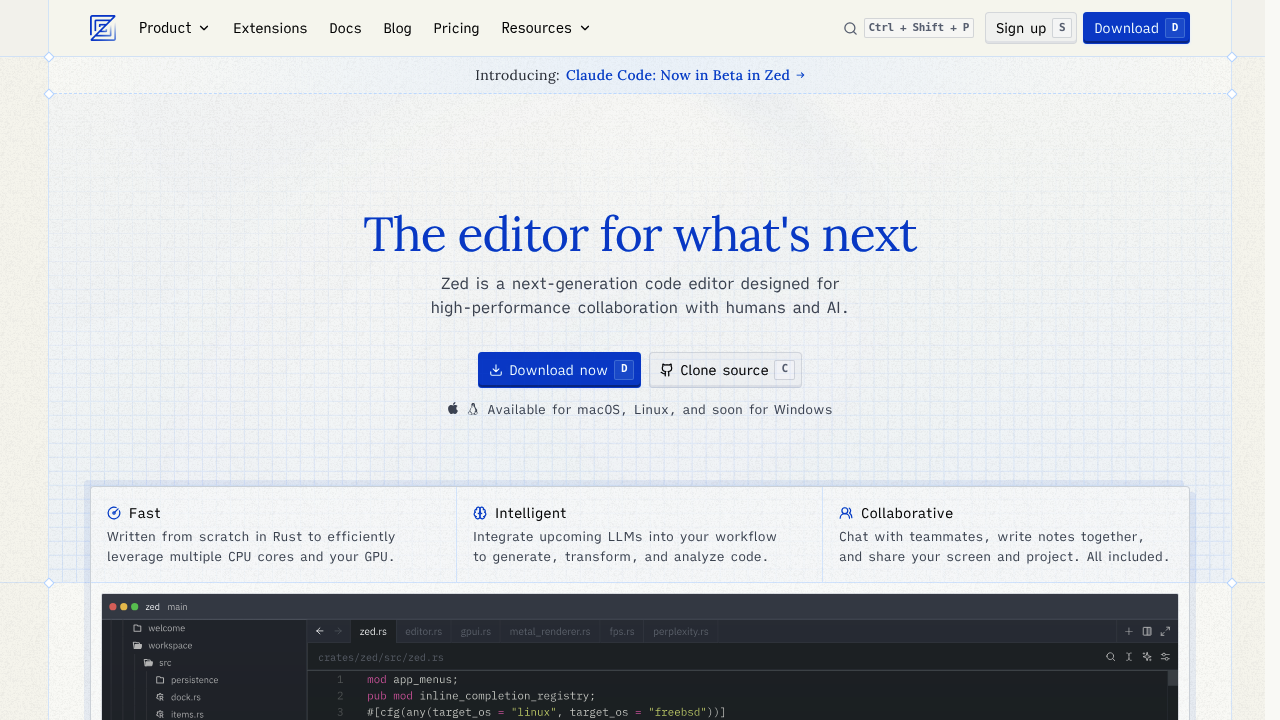
Zed is a code editor designed for speed and real-time collaboration. It runs locally on your machine and supports AI-assisted coding through integrated Claude models. The editor is free for all to use and open source. Solo developers may prefer it over Replit for its native performance and offline capabilities.
Strengths
- Exceptional performance: Built in Rust with focus on speed. Delivers near-instant response times for editing operations.
- Real-time multiplayer editing: True multiplayer collaboration built into the core editor. Multiple developers can edit the same file simultaneously.
- Free offline editor: Works without internet connection or authentication. AI and subscription features are optional.
- Open source flexibility: Full source code available on GitHub. Users can modify, extend, or compile custom builds.
- Built-in REPL support: Interactive coding environment supports Jupyter kernels for multiple languages without external setup.
- Native AI integration: Claude models available with hosted inference at provider rates plus 10%. Also supports custom API keys for multiple providers.
Weaknesses
- No browser-based access: Requires local installation on macOS or Linux. No Windows binary yet available.
- AI features require login: AI capabilities need authentication. Free tier limited to 50 hosted prompts monthly.
- Limited deployment tooling: Focuses on editing and collaboration. Lacks integrated hosting or deployment infrastructure.
- Younger extension ecosystem: Fewer extensions than mature editors. Some language support may be incomplete.
- No integrated database tools: Missing built-in database management or visualization features common in cloud IDEs.
Best for
Developers who prioritize raw editing speed and need real-time collaboration without cloud dependency. Ideal for those with existing deployment workflows.
Pricing plans
- Personal — Free — 50 Zed-hosted prompts per month, 2000 accepted edit predictions, unlimited prompts with your own API keys
- Pro — Unknown — 500 prompts per month included, usage-based billing beyond 500 prompts, unlimited edit predictions, 14-day free trial
- Enterprise — Unknown — Custom usage analytics, SSO, security guarantees, shared billing, premium support
Tech details
- Type: Native desktop code editor
- IDEs: Standalone editor for macOS and Linux (Windows via source compilation only)
- Key features: Multiplayer collaboration, AI-powered coding with Claude models, built-in REPL, integrated terminal, syntax tree navigation, Vim mode support.
- Privacy / hosting: Self-hosted on local machine. When sharing projects, file paths and metadata sent to Zed servers for collaboration; file contents proxied but not stored.
- Models / context window: Claude 3.5 Sonnet (60k), Claude 3.7 Sonnet (120k standard, 200k Burn Mode), Claude Sonnet 4 (120k standard, 200k Burn Mode), Claude Opus 4 and 4.1 (120k standard, 200k Burn Mode).
When to choose this over Replit
- You need maximum editing performance with instant response times for large codebases.
- You want a fully functional editor without mandatory cloud dependency or authentication.
- You already have deployment infrastructure and need only a powerful local editing environment.
When Replit may be a better fit
- You need instant browser-based access without installing software or managing local dependencies.
- Your workflow requires integrated hosting, deployment, and database management in one platform.
- You prefer zero-configuration environments with automatic package installation and runtime management.
Conclusion
Zed delivers native-speed editing with optional AI assistance. It combines fast performance with true multiplayer collaboration. The editor works offline and remains free without AI features. Users can bring their own API keys for unlimited AI prompts. Developers seeking a Replit alternative with local execution and production-grade performance should evaluate Zed.
Sources
- Official site: https://zed.dev
- Docs: https://zed.dev/docs/ai/plans-and-usage
- Pricing: https://zed.dev/pricing
FAQ
Can I use Zed without paying for AI features?
Yes. Zed (the editor) is free for all to use. You can use Zed as a code editor without any AI or subscription features. The AI capabilities are entirely optional.
Does Zed require internet connection to work?
No. You can use Zed as the world's fastest editor with no AI or subscription features, without authentication. Internet is only required for AI features or multiplayer collaboration.
How does Zed's pricing compare to using my own API keys?
Zed charges provider list price plus 10% for hosted models. You can use unlimited prompts with your own AI API keys from Amazon Bedrock, Anthropic, GitHub Copilot, Google AI, OpenAI, and others.
What platforms does Zed support?
Zed officially supports macOS and popular Linux distributions. Windows support exists through community efforts but requires compiling from source. Official Windows binaries are not yet available.
How does multiplayer collaboration work in Zed?
All interactions between collaborators are proxied through Zed's servers. When you share a project, collaborators can open any file. File contents are proxied through servers when requested but never stored permanently.
What is Burn Mode in Zed AI?
Burn Mode enables models to use large context windows, unlimited tool calls, and expanded reasoning capabilities. Each request beyond the initial prompt counts as one prompt for metering. Context windows increase to 200k tokens in Burn Mode.