Roo Code
An AI-powered development team embedded directly in your VS Code editor.
Roo Code - Replit alternative
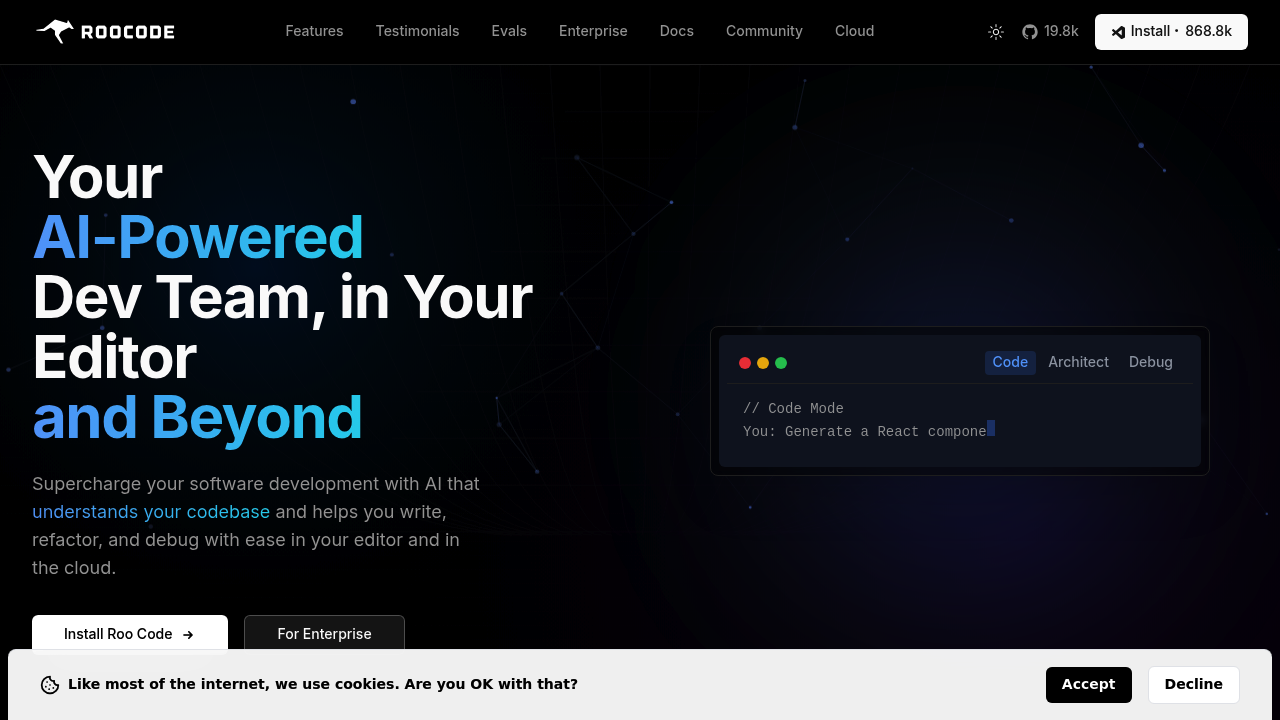
Roo Code is an open-source VS Code extension that functions as a Replit alternative by providing AI-assisted coding through multiple specialized agent modes. It integrates features like fast code edits, concurrent file reads, real-time diagnostics, codebase indexing, and browser automation directly in your local development environment. The tool breaks down complex projects through Boomerang Tasks, letting you orchestrate workflows using specialized modes like Code, Architect, and Debug. Solo developers prefer it because the core extension remains free while running on their own API keys, avoiding subscription lock-in.
Strengths
- Lightning-fast code modifications through intelligent diff application and concurrent file reading for better context
- Semantic codebase search, automatic prompt enhancement, and task todo lists for tracking multi-step workflows
- Supports OpenAI GPT-4o, Anthropic Claude 3.5 Sonnet, Google Gemini, local LLMs, and any model following Model Context Protocol
- Browser automation capabilities for testing web applications and capturing screenshots without leaving VS Code
- Custom modes for specialized workflows, API configuration profiles, and MCP integration for external tools
- Permission-based terminal command execution including npm install, test suites, and integration testing
Weaknesses
- Experimental features like concurrent file edits and background editing may have stability issues
- VS Code Language Model API integration is highly experimental and dependent on other extensions implementing the API correctly
- Requires manual API key configuration for each model provider unlike integrated solutions
- No built-in hosting or deployment infrastructure compared to Replit's cloud environment
Best for
Developers who want local-first AI coding assistance with full control over model selection and API costs, especially those already comfortable with VS Code workflows.
Pricing plans
- VS Code Extension — Free — Open source, unlimited usage with your own API keys
- Cloud Free — $0/month — Token usage analytics, cross-device task history, community support
- Pro — $20/month — Everything in Free plus Roomote Control (remote task management), paid support
- Team — $99/month — Everything in Pro plus unlimited users (no per-seat cost), shared configuration, centralized billing
- Enterprise — Custom pricing — Everything in Team plus SAML SSO, custom integrations, security questionnaires, dedicated support
All paid plans include 14-day free trials.
Tech details
- Type: VS Code extension (local IDE integration)
- IDEs: Visual Studio Code exclusively
- Key features: Fast edits, concurrent file operations, codebase indexing, task orchestration, custom modes, MCP protocol support, browser automation, shell integration, checkpoint system
- Privacy / hosting: Runs locally on your machine. Code stays in your environment. Optional cloud service for cross-device task sync and remote control. You control which API providers receive your code.
- Models / context window: Supports GPT-4o, GPT-4, o1, Claude 3.5 Sonnet, Gemini models, and local LLMs via API. Context windows depend on chosen model (varies from 8K to 200K+ tokens).
When to choose this over Replit
- You prefer working in VS Code with existing workflows and extensions rather than browser-based environments
- You want to avoid subscription costs for the coding environment itself and only pay for AI model usage
- You need specialized AI agent modes for different development tasks like architecture planning, debugging, or orchestration
When Replit may be a better fit
- You need instant project hosting and deployment without local setup
- You prefer collaborative, browser-based development with real-time multiplayer editing
- You want an integrated environment without managing API keys or local development tools
Conclusion
Roo Code transforms VS Code into an AI-powered development workspace through specialized agent modes and extensive automation. The free, open-source extension lets you use any compatible AI model while keeping code on your local machine. Optional cloud features at $20-99/month add remote task control and team collaboration. It serves developers who value IDE familiarity, model flexibility, and cost control over Replit's integrated hosting.
Sources
- Official site: https://roocode.com/
- Documentation: https://docs.roocode.com/features/
- Pricing: https://roocode.com/pricing
FAQ
Is Roo Code completely free to use?
Yes, the VS Code extension is open source and free forever. You pay only for the AI model API usage from providers like OpenAI or Anthropic. The optional Roo Code Cloud service adds remote features starting at $20/month.
What AI models work with Roo Code?
Roo Code supports OpenAI models (GPT-4o, GPT-4, o1), Anthropic Claude (including Claude 3.5 Sonnet), Google Gemini models, local LLMs via APIs, and any model following the Model Context Protocol. You configure your own API keys.
Can Roo Code execute terminal commands automatically?
Yes, Roo Code can run terminal commands like npm install and execute test suites, but it's always optional and permission-based. You approve each command before execution for security.
How does Roo Code handle complex multi-step projects?
Boomerang Tasks let you break down complex projects into manageable pieces using the Orchestrator Mode, with each subtask running in its own context using specialized modes like Code, Architect, or Debug. The Task Todo List feature tracks progress on complex multi-step workflows.
Does Roo Code work offline or require cloud connectivity?
The extension runs entirely on your local machine and works offline for code editing. You need internet only when calling external AI model APIs. The optional Cloud service syncs task history across devices and enables Roomote Control for remote task management.
What experimental features should I know about?
Current experimental features include concurrent file edits (editing multiple files in one operation), Power Steering (enhanced AI response consistency), and background editing (work uninterrupted while Roo edits files). These features may have stability issues and are under active development.